

Microsoft 365 Planning & Deployment
Plan and deploy Microsoft 365 with structure, security and governance appropriate to your organisation.
- Microsoft 365
Automate · Microsoft 365 & Digital Workplace
CALIT helps organisations plan, govern and improve Microsoft 365, SharePoint, Teams and Power Platform around real collaboration, document control and workflow needs.

Many organisations pay for Microsoft 365 but use only a fraction of it. Files scatter across email and local drives, routine approvals are handled by hand, and devices and permissions are not consistently governed. CALIT helps you structure the platform so collaboration is secure and productive.
We configure SharePoint, Teams and OneDrive for reliable document management and collaboration, automate everyday tasks with Power Platform and Power Automate, and govern identity and devices with Entra ID and Intune. We also prepare data, permissions and governance so Microsoft Copilot can be adopted safely when you are ready.
We help you use the licences you already own — fully and securely — with governance and adoption built in rather than bolted on afterwards.

A focused Microsoft 365 and digital-workplace capability set, selected and combined to fit each engagement.
Plan and deploy Microsoft 365 with structure, security and governance appropriate to your organisation.
Structure SharePoint for secure document management, records and a reliable single home for content.
Configure Teams and OneDrive for well-governed collaboration and controlled file sharing.
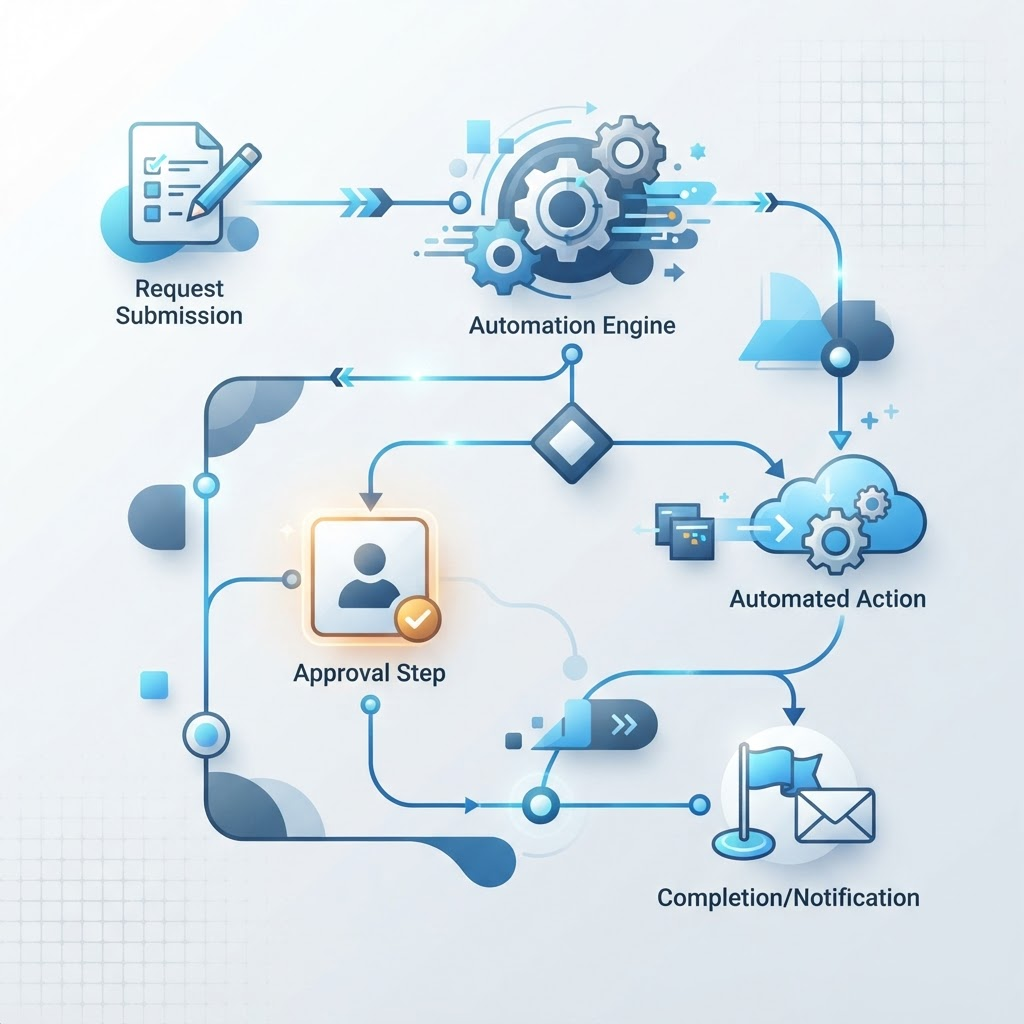
Automate approvals and tasks and build low-code apps with Power Platform and Power Automate.
Govern identity and access with Entra ID so sign-in and permissions are secure and consistent.
Manage and secure devices and access with Intune across your workforce.
Set permissions, lifecycle and governance policies so collaboration stays controlled as it grows.
Migrate and consolidate Microsoft 365 tenants with minimal disruption to users.
Prepare data, permissions and governance so Microsoft Copilot is safe and genuinely useful.
Support adoption and training so teams get lasting value from the platform.
Realistic outcomes a well-structured digital workplace can help you achieve — the value the work is designed to support, not guaranteed figures.
Structured Teams and SharePoint help teams work together in one reliable place.
A single, governed document home reduces scattered files and version confusion.
Entra ID and clear permissions provide a foundation for controlled access.
Consolidating collaboration into Microsoft 365 can reduce scattered tools.
Power Platform automations replace manual chains with visible, tracked flows.
Governance and device management make day-to-day administration clearer.
Practical types of Microsoft 365 work CALIT delivers. Where a related service page exists, we link to it.
Structure and secure Microsoft 365 so teams collaborate effectively and safely.
Intranets and portals that give staff one structured home for news, documents and processes.
Structured document and records management with clear governance and retention.
Migrate and consolidate tenants with minimal disruption to users and data.
Data, permissions and governance prepared so Copilot can be adopted safely.
A focused view of the Microsoft and workplace technologies we use — drawn from the same centralized stack used across the site.
Cloud platforms and the Microsoft ecosystem, configured and governed well.
A transparent, phased path from assessment to adoption and ongoing improvement — shaped to each engagement.

Understand collaboration, document, device and governance needs across the organisation.
Stage 1 of 7Assess current Microsoft 365 use, data, permissions and devices to find gaps and opportunities.
Stage 2 of 7Design the workplace structure, permissions, automations and device policies.
Stage 3 of 7Configure SharePoint, Teams, Power Platform, Entra ID and Intune to the agreed design.
Stage 4 of 7Validate collaboration, automations, access and device controls with real users.
Stage 5 of 7Support adoption and training so teams get lasting value from the platform.
Stage 6 of 7Refine governance, extend automation and prepare for Copilot as needs evolve.
Stage 7 of 7Representative scenarios that show the kind of problems CALIT Microsoft 365 work solves. These are illustrative applications, not named client projects.
Related capability: SharePoint Intranets & Document Management

Related capability: SharePoint Corporate Portals
Related capability: Power Platform & Workflow Automation
Related capability: Intune & Device Management
Microsoft 365 and digital-workplace work is most impactful in these sectors. Explore each industry in detail.
A practical look at how CALIT approaches real business challenges. The scenario below is illustrative — a representative delivery model, not a named client engagement.
Industry: Corporate, Legal & Professional Services
Documents were scattered across email and local drives, approvals were handled by hand, and devices and permissions were not consistently governed.
A structured SharePoint and Teams environment, Power Automate approval workflows, Entra ID access governance and Intune device management, with Copilot readiness prepared.
Defensible reasons to work with us — grounded in how we deliver, not generic claims.
We help you use the Microsoft 365 licences you already pay for, fully and securely.
Collaboration is set up with clear structure, permissions and governance from the start.
We use Power Platform to remove routine admin as part of the workplace, not as an add-on.
We prepare your environment so Microsoft Copilot can be adopted safely when you are ready.
Combined leadership experience across regional and international business contexts.
We stay engaged after launch to support adoption and keep governance current.
Straight answers to the questions we hear most about this service.
It covers Microsoft 365, SharePoint, Teams, OneDrive, Power Platform and Power Automate, Intune device management, document management, collaboration and Microsoft Copilot readiness.
Yes. We use Power Platform and Power Automate to automate approvals, notifications and routine tasks, and can build low-code apps that fit your processes.
Copilot readiness means getting your data, permissions and governance in order so Microsoft Copilot can be adopted safely and deliver useful, accurate results.
We configure Intune for device management and access control, and work with our cybersecurity service to keep your digital workplace secure and compliant.
Let's Talk
Share how your teams work and what you want to improve. We will help you scope a governed, practical Microsoft 365 plan — starting with a conversation.